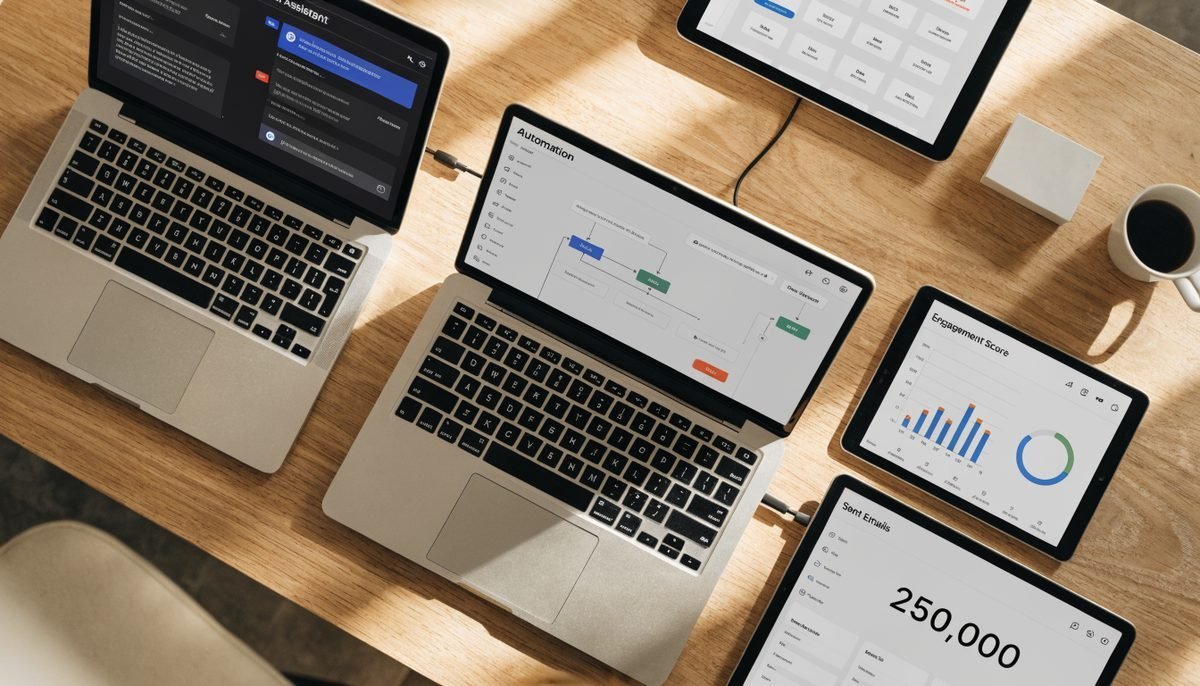
According to the 2026 SBE Council Small Business Tech Survey, 82% of small business employers have invested in AI tools, and marketing automation specifically is now used by 43% of businesses with under 500 employees — up 13 points from 30% the year before. That growth is real, but the listicles ranking for "best AI marketing tools" still read like vendor catalogues: 47 tools, none of them in context, no honest take on which ones replace what.
We run marketing programs for Toronto SMBs at Creative Scope and audit our client tool stacks every quarter. This is the actual shortlist we see in production across roughly 60 small business accounts in 2026 — what each one is best for, what it replaces, what it costs in real Canadian dollars, and where it disappoints. The 15 below are organized by funnel stage so you can pick category-by-category rather than tool-by-tool.
Key takeaways
- 82% of Canadian SMBs now use at least one AI marketing tool — the question is which combination, not whether.
- Most winning stacks for Toronto SMBs use 5–8 tools across content, SEO, ads, email, and analytics — not 20.
- The 5-tool starter combo at the bottom of this article runs $200/month and covers the full funnel.
- Pay close attention to data residency and model-training opt-outs — free tiers train on your inputs by default.
- AI accelerates execution; it does not replace strategy. Pair tools with a clear channel and offer architecture or you will spend faster, not better.
The 2026 AI marketing landscape in 60 seconds
Three shifts to internalize before you spend a dollar:
- Workflow > novelty. The tools winning in SMB budgets are the ones that plug into an existing process (email, ads, SEO, design) rather than freestanding generative experiments. 2026 Insider One research shows marketers save an average of 6.1 hours per week — almost entirely from automation, not from novelty content generation.
- AI agents are real but early. The category of "AI agents" — tools that take multi-step actions on your behalf (research a prospect, draft an outreach sequence, schedule, follow up) — is the fastest-growing category, but most agentic products are still in the trust-but-verify stage for SMB workflows. Useful, not yet autonomous.
- The competitive moat is the prompt library, not the tool. Any agency that won't share its prompts is not adding much value. The compounding advantage in 2026 is owning a library of refined, brand-specific prompts your team and your tools both use.
How we picked the 15 (and what didn't make it)
Three filters:
- In active use across at least three of our Toronto client accounts. Real production, not demo.
- Demonstrable ROI inside 90 days. The tool needs to either save measurable time or move a measurable KPI.
- Realistic SMB pricing. Anything starting north of $400/month per seat — most enterprise CDP, multichannel personalization, or large-scale predictive analytics platforms — didn't make the cut.
What didn't make the list: Salesforce Einstein (too expensive for most SMBs), Adobe Sensei (same), Notion AI (great for ops, weaker as a marketing tool specifically), Lumen5 (mostly outclassed by HeyGen and Canva video in 2026), Hootsuite AI (good but not differentiated enough from the email/CRM tools that now include scheduling), and a long list of "AI-powered" tools that are mostly thin wrappers on GPT-4 or Claude.
All 15 tools, compared at a glance

| # | Tool | Category | Best for | Starts at (USD/mo) | Free tier? |
|---|---|---|---|---|---|
| 1 | ChatGPT | Content & research | Drafting, ideation, research synthesis | $20 (Plus) | Yes (limited) |
| 2 | Claude | Content & research | Long-form, brand-voice writing | $20 (Pro) | Yes (limited) |
| 3 | Jasper | Content & ads | Bulk campaign copy, brand voice templating | $49 (Creator) | 7-day trial |
| 4 | Copy.ai | Content workflows | Pre-built marketing workflows + outbound | $36 (Starter) | Yes (2k words) |
| 5 | Surfer SEO | SEO on-page | Content briefs + on-page optimization | $89 (Essential) | 7-day trial |
| 6 | Ahrefs | SEO research | Keyword research, backlinks, competitor intel | $129 (Starter) | Free Webmaster Tools |
| 7 | Frase | SEO content | SERP analysis + content brief automation | $45 (Solo) | 5-day trial |
| 8 | AdCreative.ai | Paid ads creative | Generated ad creative at volume | $39 (Starter) | 7-day trial |
| 9 | Midjourney | Imagery | Hero images, social, editorial | $10 (Basic) | No |
| 10 | Canva Magic Studio | Design | Branded design at scale + AI image edit | $15 (Pro) | Yes (limited) |
| 11 | HeyGen | Video | AI-avatar talking-head videos, dubbing | $29 (Creator) | 1 video/mo free |
| 12 | Synthesia | Video | Studio-quality avatar video at scale | $29 (Starter) | 3-min demo free |
| 13 | HubSpot Breeze | CRM + email | CRM, email, automation with AI assistants | $20 (Starter) | Yes (limited) |
| 14 | Klaviyo AI | Ecom email/SMS | E-commerce lifecycle email + SMS | Free up to 250 contacts | Yes |
| 15 | Mailchimp AI | Email + automation | SMB-friendly email + send-time AI | Free up to 500 contacts | Yes |
Prices reflect public US pricing as of mid-2026 and may differ in CAD billing. All tools deliver service to Toronto-based teams without geographic restriction.
Content & writing tools (1–4)
1. ChatGPT (OpenAI)
Still the most-used AI tool across our Toronto client base, two and a half years after launch. Best for: first-draft blog content, brainstorming, summarizing long documents, generating outreach personalization variations, and quick research with web browsing turned on. Plus tier ($20/mo) gets you GPT-4o and o-series reasoning models — the only realistic floor for marketing use; the free tier rate-limits hard.
Watch out for: Default settings train on your conversations. Switch off "Improve the model for everyone" in settings, or move sensitive work to ChatGPT Team ($25/seat/mo) for zero-retention guarantees.
2. Claude (Anthropic)
The model we reach for when we need writing that sounds less like AI — longer, more nuanced, better at holding a brand voice across a 2,000-word draft. Claude Pro at $20/mo handles project workspaces (saved instructions, attached brand docs), which is the killer feature for agencies and marketing teams keeping multiple brand voices straight.
Watch out for: Stricter content policies than ChatGPT — refuses some legitimate marketing prompts that competitors will run. Pair the two if you can; they make different mistakes.
3. Jasper
Built-for-marketers wrapper on top of multiple LLMs, with template libraries for ad copy, landing pages, product descriptions, and email sequences. The brand voice and brand knowledge features (load in your brand book + style guide once, reuse forever) are the genuine differentiator versus raw ChatGPT.
Watch out for: Pricing per seat climbs fast — the Pro tier is $69/mo and you'll want it within a month of serious use. Calculate cost against ChatGPT Team for the same headcount.
4. Copy.ai
Has pivoted hard from generic AI copywriter to workflow automation platform. The 2026 product is most useful for outbound — automatically researching prospects from a CSV, drafting personalized emails, scoring leads — and for pre-built campaign workflows that chain multiple AI steps together. Less competitive as a pure writing tool.
Watch out for: The free tier is essentially marketing; you'll need a paid tier within days for any real workflow.
SEO & research tools (5–7)
5. Surfer SEO
The on-page optimization tool our writers spend the most time inside. Generates content briefs from a target keyword (top-ranking page structure, recommended word count, NLP terms to include), then scores your draft in real time as you write. The integrated AI writer is decent but the workflow value is the brief + score loop, not the generation.
Watch out for: Easy to over-optimize — chasing a 90+ content score frequently produces stuffed, unnatural writing. Aim for 75–85 and prioritize readability.
6. Ahrefs
Not strictly an AI tool, but the 2026 product has layered AI on top of every major report — Keyword Insights, AI Content Helper, Brand Radar (which tracks your mentions inside AI Overviews and ChatGPT answers), and automated content brief generation. For Toronto SMBs serious about SEO, this is the research backbone — the most accurate Canadian search volume data in the category.
Watch out for: Pricing jumps fast as you add seats or projects. Most SMBs only need the Starter tier and one user; resist the upsell unless you have multi-domain or large team needs.
7. Frase
A cheaper, lighter alternative to Surfer with a slightly different bias — Frase leans heavier on SERP analysis and question mining (great for FAQPage schema and AI Overview optimization). Best for content teams that already have a writer and just need brief automation, not a real-time optimization scoring tool.
Watch out for: The AI writing component is the weakest of the three SEO tools above — use Frase for briefs, draft elsewhere.
Ads & creative tools (8–10)
8. AdCreative.ai
Generates static and short-video paid social creative from your brand kit + a product input. Particularly strong for Meta and TikTok ad libraries — you can spin 30 variations of a creative in an hour, which is the volume Meta's algorithm now expects to learn against. Pairs well with UGC-style ad approaches for the polished/scrappy creative split.
Watch out for: Output looks AI-generated more often than not. Use as a volume input that your team then edits, not as a final deliverable.
9. Midjourney
The aesthetic leader in image generation. Best for editorial hero images, social-first art direction, and unique visuals that wouldn't pass on a stock site. The Discord-only interface kept many SMBs away for years — the 2026 web app finally fixes that.
Watch out for: Commercial usage rights depend on the tier. Basic ($10) covers most SMB use but not all; check the licence before using outputs in paid campaigns.
10. Canva Magic Studio
Canva's AI layer turns it into the most-used design tool across our SMB clients in 2026. Magic Design generates branded social posts from a prompt; Magic Eraser removes objects; Magic Switch resizes one design to every social format in one click. The Brand Kit + template combination removes 80% of the back-and-forth on social content production.
Watch out for: Brand consistency erodes fast if multiple people generate without using the Brand Kit. Lock down templates upfront.
Video & voice tools (11–12)
11. HeyGen
AI-avatar video at SMB pricing. Type a script, pick (or upload) an avatar, get a talking-head video — ideal for top-of-funnel social videos, internal training, sales follow-ups, and multi-language ad localization. The voice clone + lip-sync quality crossed the "good enough for paid social" line in late 2025.
Watch out for: Custom avatar training requires consent and a 1–2 minute video of the person; Meta and TikTok now require disclosure for AI-generated talent in some categories.
12. Synthesia
Direct competitor to HeyGen with a stronger enterprise focus and a more polished avatar library. We use Synthesia for client-facing explainer videos and L&D content; HeyGen for ad-style short-form. Both are credible, and the right choice often comes down to which avatar library matches your brand.
Watch out for: Minute-pricing differs from HeyGen — model the monthly volume before choosing. Our video marketing guide covers when AI avatars fit and when to film humans.
Email & CRM tools (13–15)

13. HubSpot Breeze AI
HubSpot's Breeze layer adds AI assistants across the CRM, email, content, and reporting tools — generating subject lines, drafting follow-up sequences, summarizing call recordings, and surfacing the highest-fit leads. For Toronto SMBs running both marketing and sales out of one platform, the integration depth is the moat.
Watch out for: The Starter tier is generous but jumps quickly. Marketing Hub Professional ($890/mo) is where most growing SMBs end up if HubSpot becomes the core system — model that price before adopting.
14. Klaviyo AI
The strongest email/SMS platform for e-commerce in 2026, and the AI layer is meaningfully ahead — predictive analytics for next purchase date and CLV, AI-generated subject lines and product blocks, AI segmentation that finds patterns you'd miss manually. If you sell anything on Shopify or BigCommerce, this is almost always the right choice.
Watch out for: Pricing scales steeply with contact volume. A 25,000-contact list runs roughly $400/mo; clean dead contacts quarterly.
15. Mailchimp AI
The default for non-ecom SMBs — content creators, professional services, B2B newsletters. The AI features (Creative Assistant, Subject Line Helper, Send Time Optimization) are competent rather than category-leading, but the price and learning curve make it the right starter platform for most Toronto SMBs not on Shopify. Our email marketing guide covers what to do with it once installed.
Watch out for: Deliverability and automation depth lag Klaviyo and HubSpot — graduate when you outgrow the basics.
The 5-tool starter stack we recommend
If you're standing up a new AI marketing stack from scratch for a Toronto SMB under 25 employees, this is the five-tool combination that covers the most surface for the least money:
- Claude Pro or ChatGPT Plus — $20/mo. Drafting, ideation, research, brand voice.
- Surfer SEO Essential — $89/mo. On-page optimization and content briefs.
- Canva Magic Studio Pro — $15/mo. Social design and AI image edit.
- AdCreative.ai Starter — $39/mo. Volume creative for Meta and TikTok ads.
- Mailchimp (free) or Klaviyo (free up to 250 contacts) — $0/mo for most SMBs to start.
Total: roughly $163/mo all-in. Add one paid email tier at $30–$50/mo as your list grows past the free threshold and you're at $200–$220/mo for a stack that covers content, SEO, design, paid creative, and email lifecycle.
Want help building your AI marketing stack?
We design and run AI-augmented marketing programs for Toronto SMBs.
Tool selection, prompt libraries, workflow setup, and the human strategy layer that makes any AI stack actually pay back. Free first audit, monthly retainer after — built around your channels, your offer, and your bandwidth.
See how we workCommon mistakes when adopting AI tools
Three patterns we see repeatedly in Toronto SMB stacks that quietly waste budget:
- Buying more tools than you can train your team to use well. Most teams cap out at 5–7 tools they actively use. Anything beyond that becomes shelf-ware burning monthly subscriptions.
- Skipping the prompt library. Every team member writing their own prompts each time produces wildly inconsistent output. Build a shared library of 20–30 brand-tuned prompts inside Notion, Slack canvas, or your AI tool's saved-prompt feature, and update quarterly.
- Ignoring data governance. Free tiers and consumer tools train on your inputs by default. Treat anything you wouldn't send in an unencrypted email the same way — don't paste client lists, contracts, financial data, or PII into them. Move sensitive work to enterprise tiers with zero-retention guarantees.
The compounding pattern from the Toronto SMBs growing fastest in 2026 is simple: pick a small stack, master it, document the prompts, and revisit quarterly. Tool obsession is a much smaller advantage than process discipline.
For more on how the AI search shift is reshaping organic strategy in particular, see our companion guide on ranking in Google AI Overviews for Toronto businesses, or keep reading the blog for more tactical breakdowns.


