
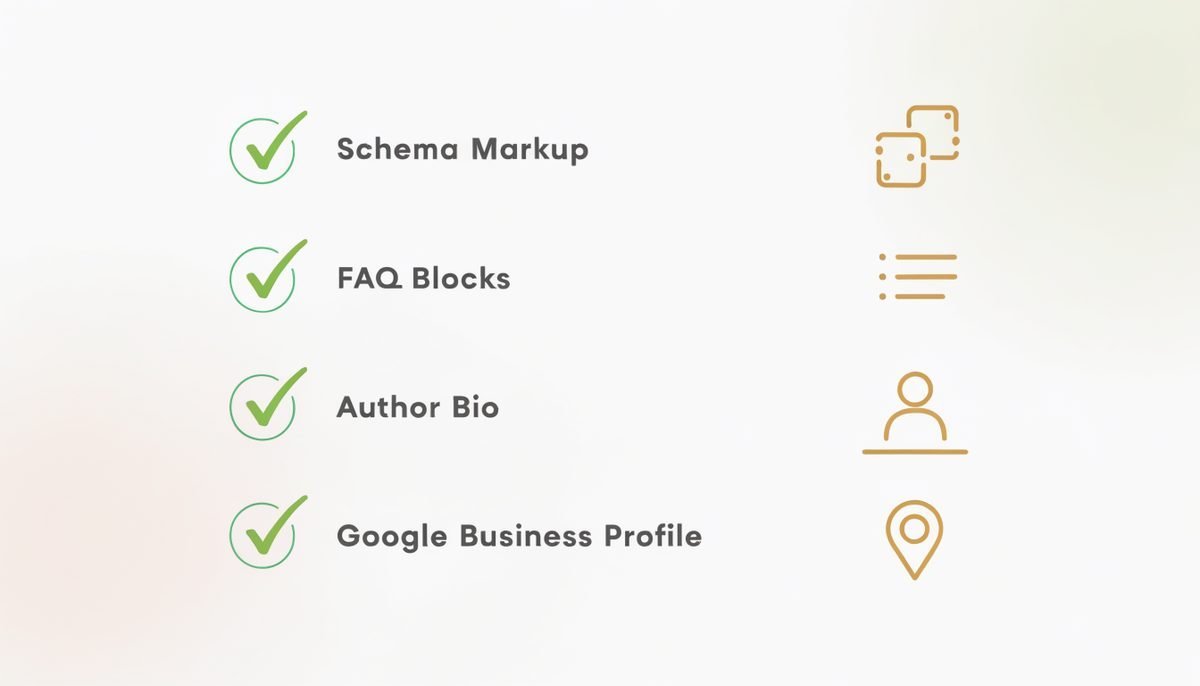
We audit roughly 200 Toronto small business websites a year at Creative Scope. In 2026, close to 65% of them have no JSON-LD schema beyond whatever their WordPress theme outputs by default — a single incomplete Article block, if that. Of the ones that do have schema, roughly 30% fail validation because required fields are empty or values are malformed. In practical terms: on any given Toronto SERP, the sites that show up with rich results (stars, prices, FAQ dropdowns) are winning against 65% of their competition on a technical lever that costs nothing to install correctly.
Schema markup is also the single biggest lever we've found for getting cited inside Google AI Overviews (see our companion AI Overviews ranking guide). This is the four-type playbook we install on every new Toronto client site — what each schema does, where it lives, copy-paste JSON-LD templates, validation workflow, and the mistakes we see most often. If you implement all four cleanly, expect measurable rich-result impact inside 30 days and AI Overview citation lift inside 60.
Key takeaways
- 65% of Toronto SMB sites have no meaningful schema in 2026. The technical bar to leapfrog most competitors is low.
- Pages with proper schema get cited in AI Overviews 2.5x more often than pages without.
- Four schema types cover 80% of what a Toronto SMB needs: LocalBusiness, Service, FAQPage, Review.
- Use JSON-LD in the page head. Microdata and RDFa are legacy — they still work but produce fewer AI citations.
- Validate through three tools before publishing: Rich Results Test, Schema.org Validator, and Search Console Enhancements.
- Expect rich results within 21 days, AI Overview citations within 60, Map Pack impact within 90.
Why schema markup is the #1 under-used SEO lever in 2026
Three shifts have made schema the highest-ROI technical SEO investment for a Toronto small business in 2026:
- AI Overviews rely on structured data. Google's Gemini synthesizes AI Overview answers from indexed passages, and structured data is what lets the model unambiguously extract facts (business hours, prices, service areas, review scores, FAQ answers) without having to infer them from prose. Sites with proper schema get cited 2.5x more often, according to Stackmatix's 2026 analysis.
- Rich results steal click-through. A traditional blue-link SERP entry gets a certain CTR at a given position. The same page with a 5-star rating, price range, and FAQ dropdown expanded beneath it gets 20–40% higher CTR at the same position. That's a permanent, compounding advantage over untagged competitors.
- Local Map Pack ranking uses LocalBusiness schema as a cross-reference. Google reconciles the NAP (Name, Address, Phone) in your schema against your Google Business Profile. Consistency across the two is one of the strongest local ranking signals in the 2026 algorithm.
The compounding piece most SMB operators miss: schema is a one-time install with lifetime returns. Once implemented correctly, it keeps generating rich results and AI citations for every future page in the same template without any additional work.
The 4 schema types Toronto SMBs actually need

Schema.org lists more than 800 schema types. For 95% of Toronto small businesses, four cover the meaningful territory:
| Schema type | Where it lives | Primary benefit | AI citation rate lift |
|---|---|---|---|
| LocalBusiness | Homepage, contact page, service-area pages | Map Pack cross-reference, local AI Overviews | High for local queries |
| Service | Each service page | Rich results with pricing/description; service-based AI answers | Medium-High |
| FAQPage | Any page with 3+ Q&A pairs | FAQ dropdowns in search + highest AI Overview citation lift | Very High |
| Review + AggregateRating | Homepage, product/service pages | Star ratings in search results | Medium (trust signal) |
Additional types matter in specific contexts: Article/BlogPosting for editorial content (increases AI citation confidence from ~61% to ~94% when a named author is declared), Product for e-commerce, Event for time-based offerings, HowTo for procedural content, and Recipe for food-service businesses. But if you install nothing else, install the four above first.
LocalBusiness schema — the foundation
The single most important schema for a Toronto service business. Lives in the <head> of your homepage and every location or service-area page. Copy-paste template you can adapt:
<script type="application/ld+json">
{
  "@context": "https://schema.org",
  "@type": "LocalBusiness",
  "@id": "https://yourdomain.ca/#localbusiness",
  "name": "Your Business Name",
  "image": "https://yourdomain.ca/assets/storefront.jpg",
  "url": "https://yourdomain.ca/",
  "telephone": "+1-416-555-0123",
  "priceRange": "$",
  "address": {
    "@type": "PostalAddress",
    "streetAddress": "123 Queen Street West",
    "addressLocality": "Toronto",
    "addressRegion": "ON",
    "postalCode": "M5H 2M9",
    "addressCountry": "CA"
  },
  "geo": {
    "@type": "GeoCoordinates",
    "latitude": 43.6532,
    "longitude": -79.3832
  },
  "openingHoursSpecification": [
    {
      "@type": "OpeningHoursSpecification",
      "dayOfWeek": ["Monday","Tuesday","Wednesday","Thursday","Friday"],
      "opens": "09:00",
      "closes": "18:00"
    }
  ],
  "areaServed": [
    { "@type": "City", "name": "Toronto" },
    { "@type": "City", "name": "Etobicoke" },
    { "@type": "City", "name": "Scarborough" }
  ],
  "aggregateRating": {
    "@type": "AggregateRating",
    "ratingValue": "4.9",
    "reviewCount": "127"
  },
  "sameAs": [
    "https://www.facebook.com/yourbusiness",
    "https://www.instagram.com/yourbusiness",
    "https://www.linkedin.com/company/yourbusiness"
  ]
}
</script>
Three non-negotiable rules: (1) the NAP (name, address, phone) must match your Google Business Profile byte-for-byte — even suite number formatting matters; (2) use the most specific @type available for your business (e.g. Dentist, Restaurant, Plumber instead of the generic LocalBusiness) — Schema.org's LocalBusiness type has 100+ subtypes; (3) include real, current data for aggregateRating only if you can support it with visible reviews on the same page or profile.
Service schema — one per service you offer
Each dedicated service page gets its own Service schema block, describing what the service is, who it's for, area served, and pricing (even if the price is a range or "starts at").
<script type="application/ld+json">
{
  "@context": "https://schema.org",
  "@type": "Service",
  "serviceType": "Personal Injury Law",
  "provider": {
    "@type": "LocalBusiness",
    "@id": "https://yourdomain.ca/#localbusiness"
  },
  "areaServed": { "@type": "City", "name": "Toronto" },
  "description": "Personal injury representation for Toronto residents — free consultation, no fees until we win.",
  "offers": {
    "@type": "Offer",
    "price": "0",
    "priceCurrency": "CAD",
    "description": "Free initial consultation"
  }
}
</script>
The @id reference back to your homepage LocalBusiness block links the two together — schema graph best practice. Every service page should have this pattern.
FAQPage — the highest AI-citation lever

If you install one schema type on your top informational pages, make it FAQPage. It produces the most measurable AI Overview citation lift and generates the FAQ dropdowns you see beneath organic results — a large visual footprint at zero additional cost.
<script type="application/ld+json">
{
  "@context": "https://schema.org",
  "@type": "FAQPage",
  "mainEntity": [
    {
      "@type": "Question",
      "name": "How much does a website cost in Toronto in 2026?",
      "acceptedAnswer": {
        "@type": "Answer",
        "text": "A custom-designed small business website in Toronto typically runs $4,000 to $18,000 in 2026 depending on complexity, number of pages, and integrations required..."
      }
    },
    {
      "@type": "Question",
      "name": "How long does a website build take?",
      "acceptedAnswer": {
        "@type": "Answer",
        "text": "Most small business sites take 4 to 10 weeks from kickoff to launch..."
      }
    }
  ]
}
</script>
Rules: (1) 3–7 questions per page — fewer than 3 and Google often ignores; more than 7 and the format loses clarity; (2) answers should be 40–120 words — long enough to be substantive, short enough to be cited as a passage; (3) questions must match real search queries — use "People Also Ask" in Google or a tool like AlsoAsked for source material; (4) FAQ visible content on the page should match the schema exactly — Google penalizes mismatches.
Review + AggregateRating — the stars that steal clicks
Star ratings visible in the SERP produce a 15–35% CTR lift at any given position. AggregateRating rides inside your LocalBusiness or Product schema; individual Review blocks can also be added:
<script type="application/ld+json">
{
  "@context": "https://schema.org",
  "@type": "Product",
  "name": "Kitchen Renovation Package",
  "aggregateRating": {
    "@type": "AggregateRating",
    "ratingValue": "4.9",
    "reviewCount": "84",
    "bestRating": "5"
  },
  "review": [
    {
      "@type": "Review",
      "author": { "@type": "Person", "name": "Sarah T." },
      "reviewRating": {
        "@type": "Rating",
        "ratingValue": "5",
        "bestRating": "5"
      },
      "reviewBody": "Total transformation of our Leslieville kitchen. On time, on budget, incredible attention to detail."
    }
  ]
}
</script>
Critical: Google requires that any rating shown in schema also be visible somewhere on the same page. Do not fabricate ratings or borrow them from other pages — a manual action will follow within a few weeks if you do. Pair reviews with an active Google Business Profile review flow (see our Google Maps ranking guide for the review velocity system we install for clients).
Validation and testing workflow
Three tools cover the entire validation stack — run all three on every new page:
- Google's Rich Results Test. Paste the URL or code, see whether Google can extract the schema, preview the enhanced result. This is the definitive check for whether your schema will earn rich results in Google search.
- Schema.org Markup Validator. Validates against the spec regardless of Google. Catches malformed JSON, missing required properties, and deprecated types.
- Google Search Console — Enhancements report. Shows every schema error Google detected on your live site in the last 90 days. Check monthly for regressions after any site update or theme change.
Best practice: build a small "schema audit" step into your deploy checklist. Any change to a template that includes schema blocks triggers a re-validation before merge.
Want help implementing schema across your Toronto site?
We install full-site schema markup for Toronto small businesses.
LocalBusiness, Service, FAQPage, Review, Article — validated, tied to your Google Business Profile, and paired with the AI Overview citation strategy from our companion playbooks. Free schema audit first, one-time install or ongoing SEO retainer after.
See our SEO servicesCommon mistakes that quietly break implementations
The patterns we see repeatedly in Toronto SMB schema audits:
- NAP mismatch with Google Business Profile. "Ste 500" in schema vs "Suite 500" in GBP is enough to weaken the cross-reference. Copy your GBP fields byte-for-byte.
- Fabricated aggregate ratings. Ratings shown in schema that aren't visible on the page get penalized. Show what you claim.
- Missing required properties. LocalBusiness requires name, address, telephone at minimum. Article requires headline, author, datePublished, image. Skipping these breaks validation.
- Generic @type when a specific one exists. Using
LocalBusinesswhenDentistorPlumberis available. Specificity matters for AI parsing. - FAQ schema on pages without visible FAQs. Google requires the visible content to match. Include the questions and answers in visible page copy too.
- Multiple LocalBusiness blocks with different @id values. Confuses the schema graph. Use one canonical LocalBusiness with a stable @id, then reference it from Service, Review, and Article blocks.
- Un-validated JSON. A missing comma silently breaks the entire block. Validate before every deploy.
The 30-day schema rollout plan
If you're starting from zero, run this 30-day sequence. Most Toronto SMBs see rich results appearing in search within the same window.
- Days 1–3. Audit your current schema with the Rich Results Test on your top 10 pages. Document what exists and what's broken.
- Days 4–7. Implement LocalBusiness schema on the homepage. Match NAP to Google Business Profile byte-for-byte. Include geo coordinates, opening hours, areaServed, and aggregateRating if you have real reviews.
- Days 8–14. Add Service schema to each dedicated service page. Include areaServed, description, and price/priceRange even if "starts at."
- Days 15–21. Add FAQPage schema to your top 5 informational pages (blog posts, service explanations, pricing pages). 3–7 Q&A pairs each; visible page copy must match.
- Days 22–25. Add Article/BlogPosting schema to all blog posts. Include named author, datePublished, dateModified, image, wordCount. This alone lifts AI citation confidence from ~61% to ~94%.
- Days 26–28. Add Review + AggregateRating to homepage and top service pages. Only real, visible reviews.
- Day 29. Validate every implementation through Rich Results Test + Schema.org Validator. Fix every warning.
- Day 30. Submit updated URLs through Search Console for recrawl. Track Enhancements report weekly for 90 days.
For context on why schema is such a strong AI-search signal, see our companion 2026 AI Overviews ranking guide, and for how it feeds into local search, our Google Maps ranking playbook. Or keep reading the blog for more tactical breakdowns.


